macOS · Windows · Linux

Jump straight to
the one line
that matters.

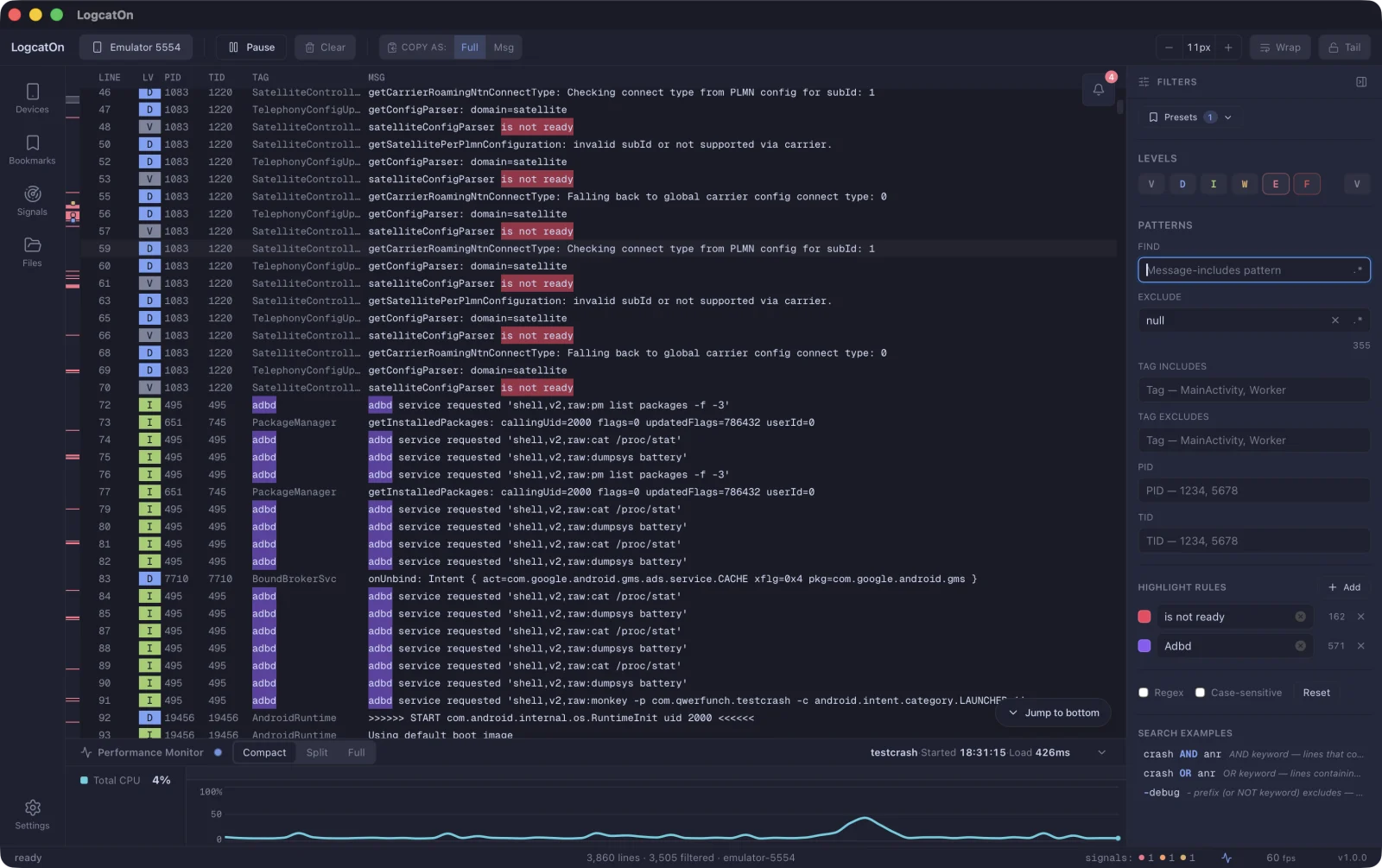
Crashes, ANRs and native faults land on the minimap and timeline the moment they happen. One click takes you there. Large logs keep flowing without a stutter.

emulator-5554 · com.qwerfunch.testcrash 0 lines
LINELV PIDTIDTAGMSG
3
Signal issues
FATAL EXCEPTION 1 ×
Process N exited du… 1 ×
Activity START 4 ×
Displayed (first fr… 3 ×
Process … has died 1 ×
ready 1,647 lines · emulator-5554 signals: 4 2 60 fps v1.3.0
See it work

Real screen, no edits

A crash lands mid-flood, marks the minimap, and we jump right to it. Recorded in one take.
LogcatOn — emulator-5554 · com.qwerfunch.testcrash REC
LogcatOn — crash signals on the minimap
Screen recording · 23s · silent · unedited
Features

Built for the way
you actually debug

We didn't list features. We laid out the screen in the order you read logs.

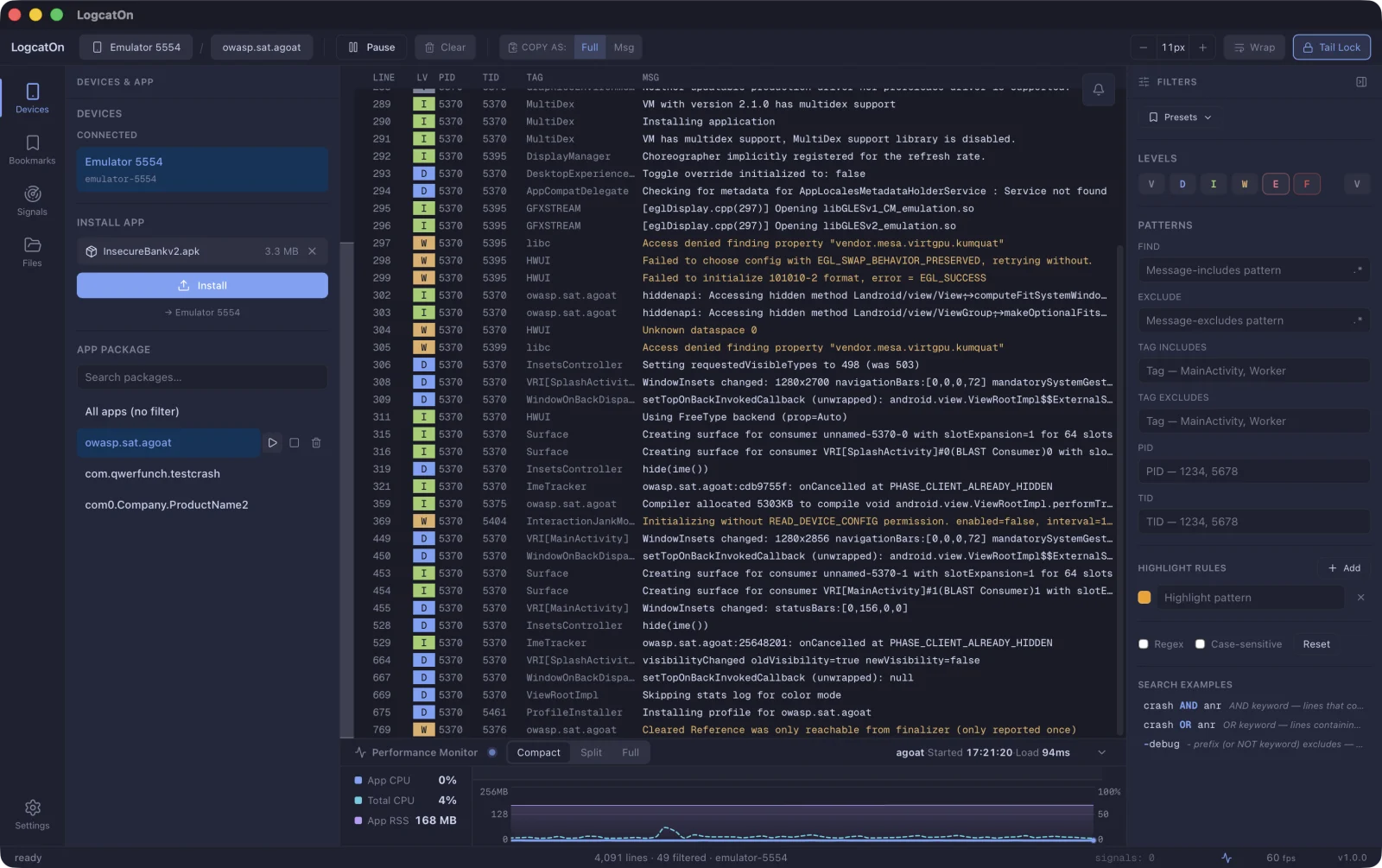
Only the app you care about

Connect a device and pick an app to see just its logs. Install, launch, and force-stop, all in one place.

Narrow down to the lines you want

Find, exclude, tag, PID and level filters — plus regex and AND/OR search.

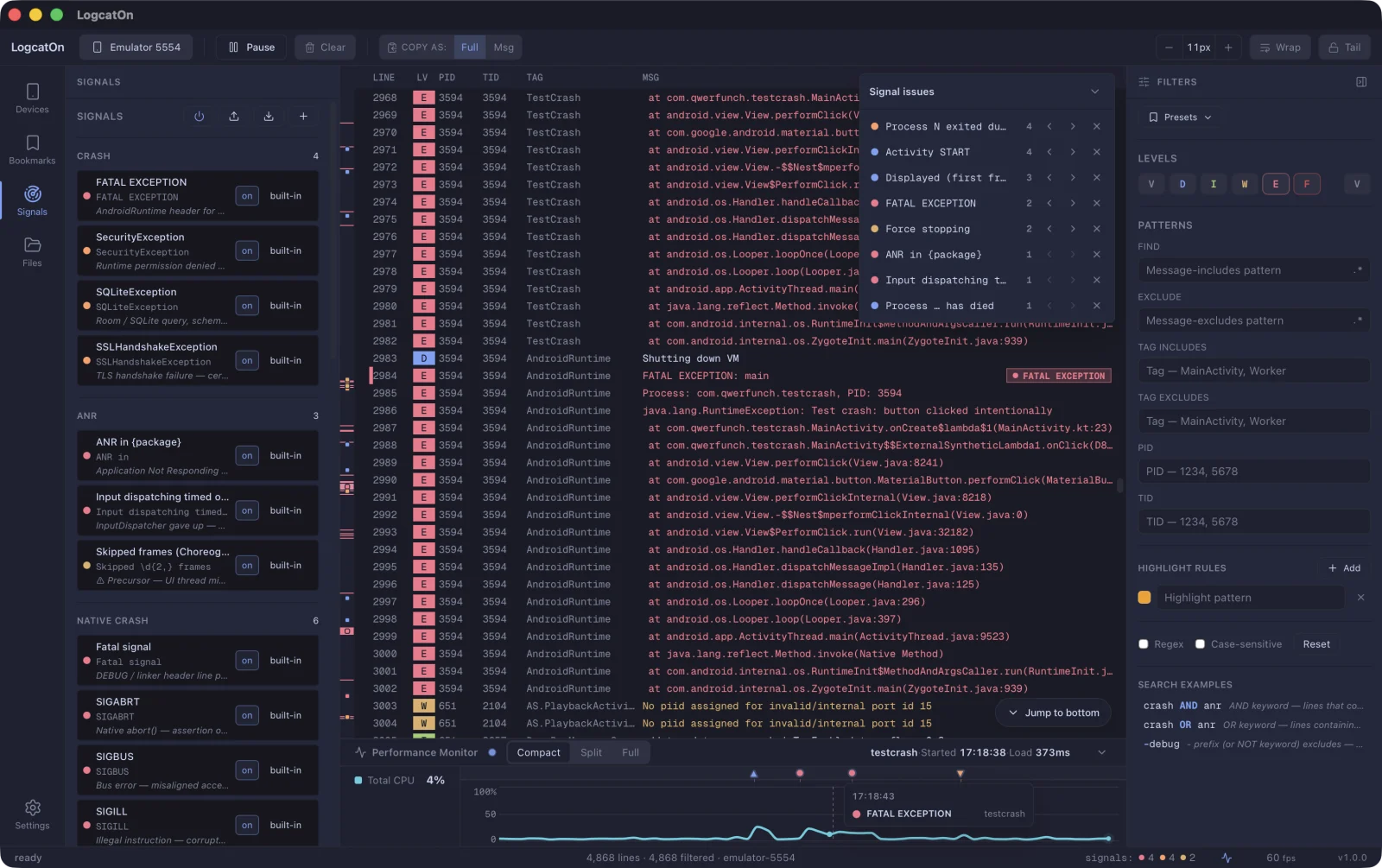
Crashes catch your eye, instantly

Shown on the minimap, signal issues, and timeline — click to jump straight there.

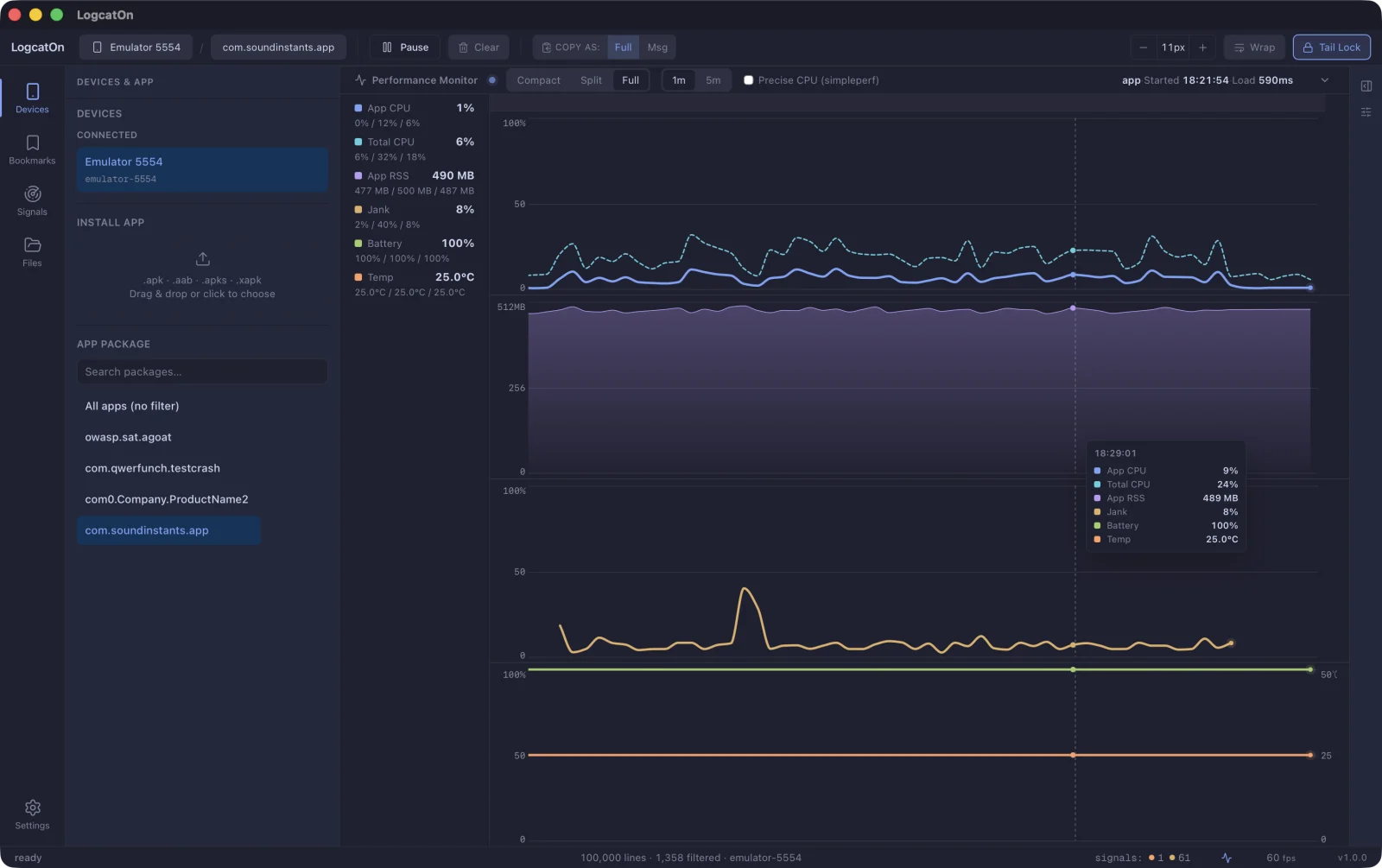
Performance, live at a glance

Monitor CPU, memory, jank, battery and temperature alongside your logs.

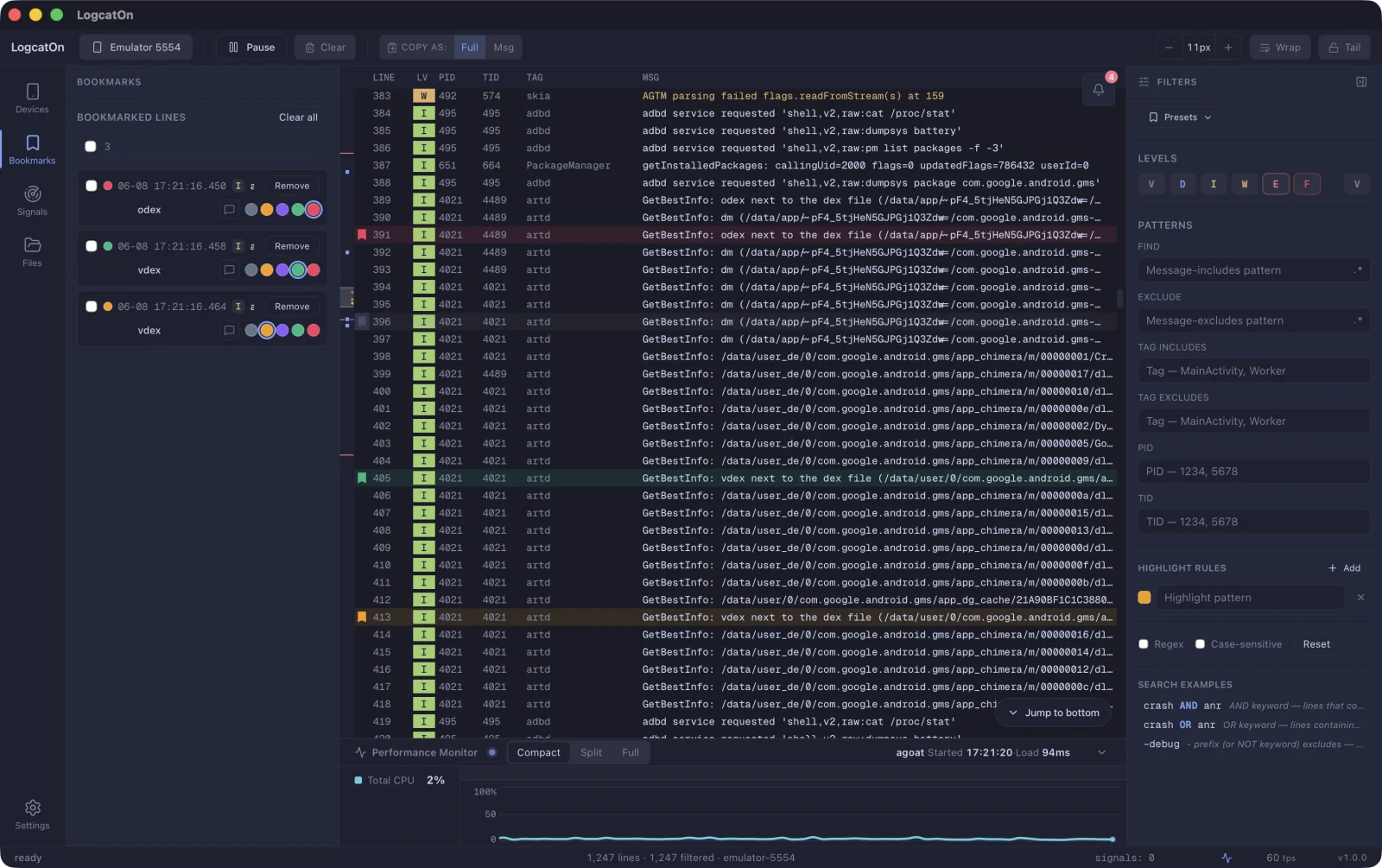
Never lose the line that matters

Bookmark key lines, tag them by color, and jump back in an instant.
LogcatOn — filtering logs down to a single app LogcatOn — search and filter panel LogcatOn — crash and error signals on the minimap LogcatOn — real-time performance monitor LogcatOn — bookmarked log lines
Details

The small things, handled

Double-click a line and it all unfolds

JSON buried in a log line folds and unfolds. Switch between Pretty and Raw, then copy it as is.

22:55:56 D TestCrash Pretty JSONRaw
▾ { "event": "test_json_log", "timestamp": 1784987756546, "user": { "id": 42, "name": "qwerfunch" } }

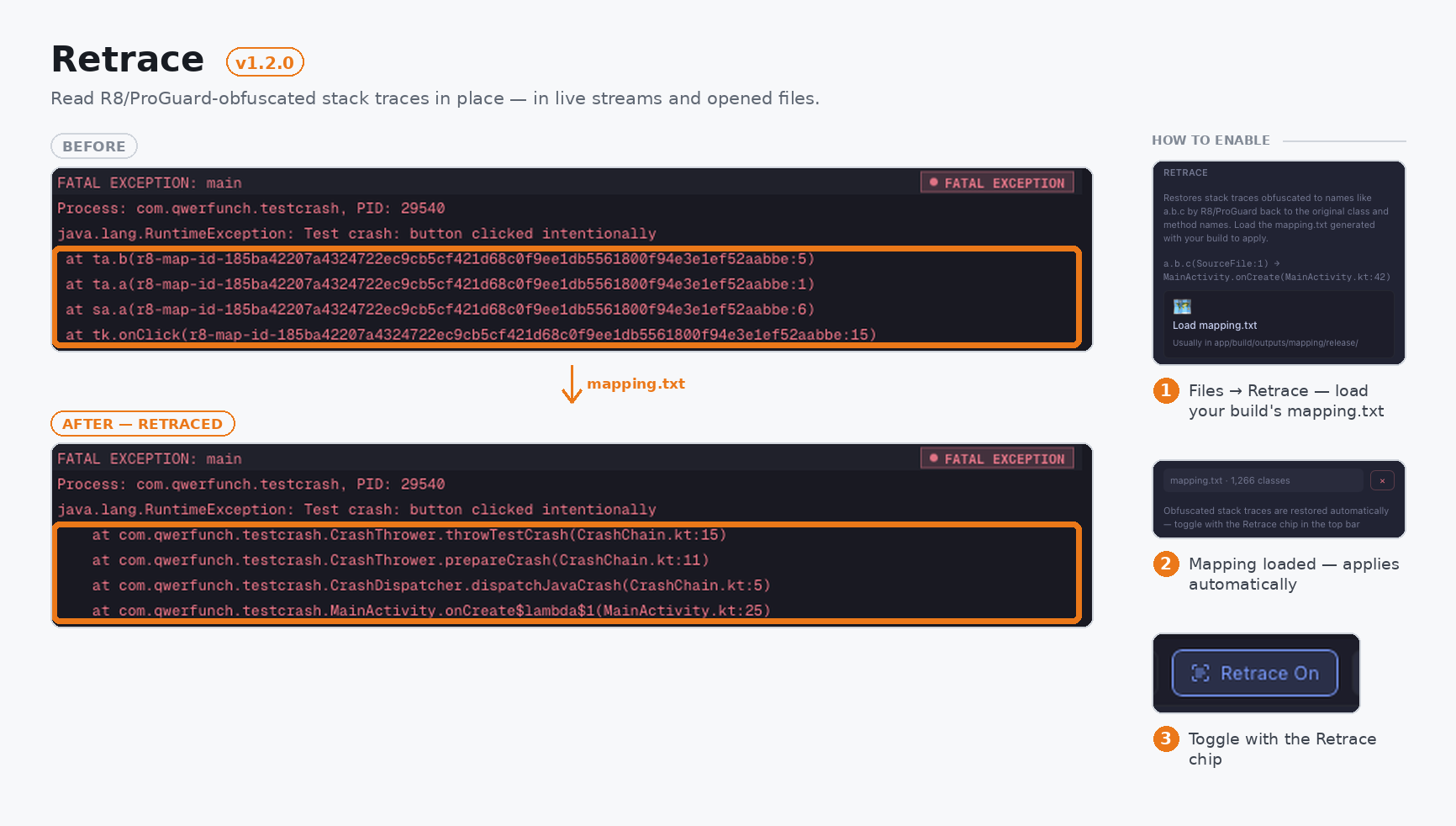
Obfuscated stacks, back in plain names

Point Retrace at your mapping file and unreadable stack traces come back with their original names.

at a.b.c(Unknown Source:3)
at com.qwerfunch.MainActivity.onCreate(MainActivity.kt:23)

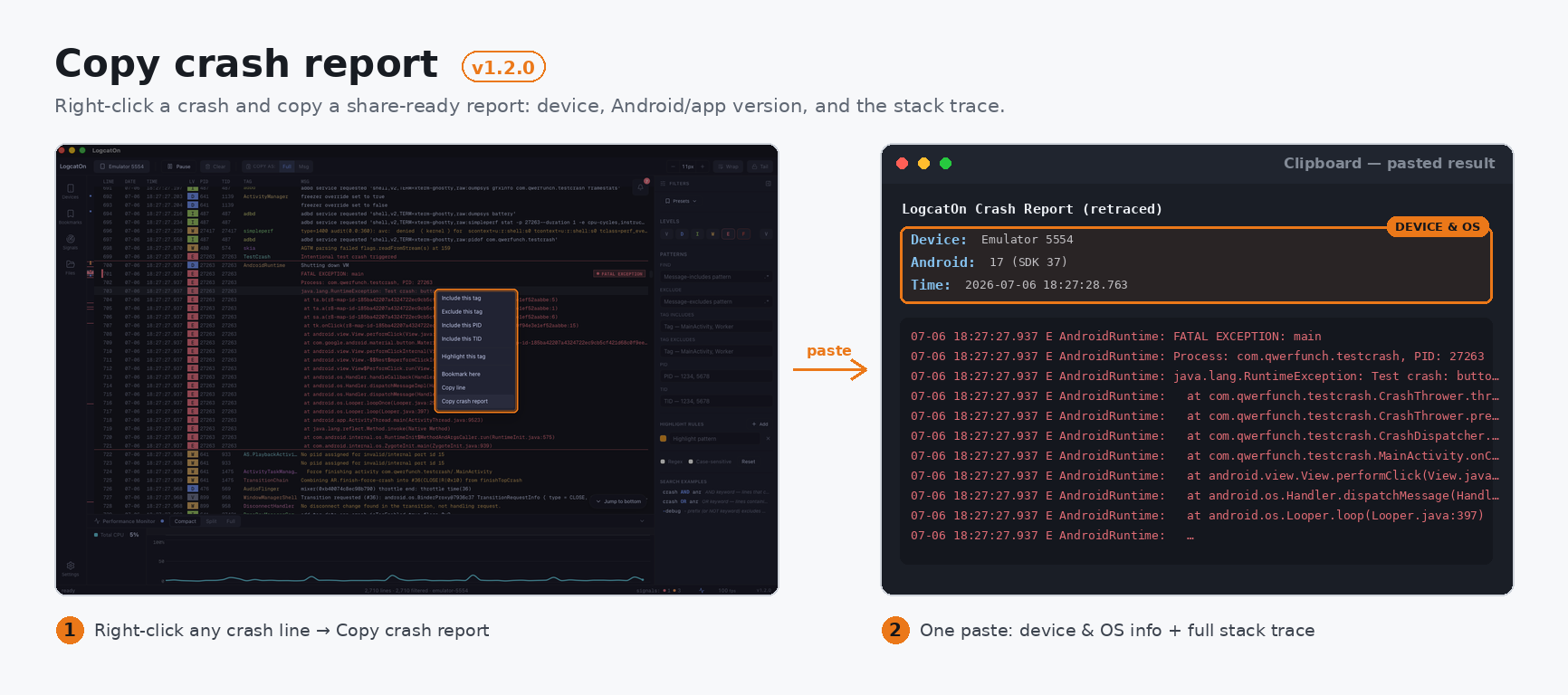
Copy a crash report in one go

The crash region is detected for you. One right-click copies it with device and OS info attached.

Bookmark here
Copy line
Copy crash report
LogcatOn Crash Report Device: Emulator 5554
Android: 17 (SDK 37) E AndroidRuntime: FATAL EXCEPTION: main …

Bookmarks, sorted by color

Mark the lines that matter, group them by color, and come back anytime.

07-25 21:52:13.170 DRemove
Untitled
07-25 21:52:13.198 DRemove

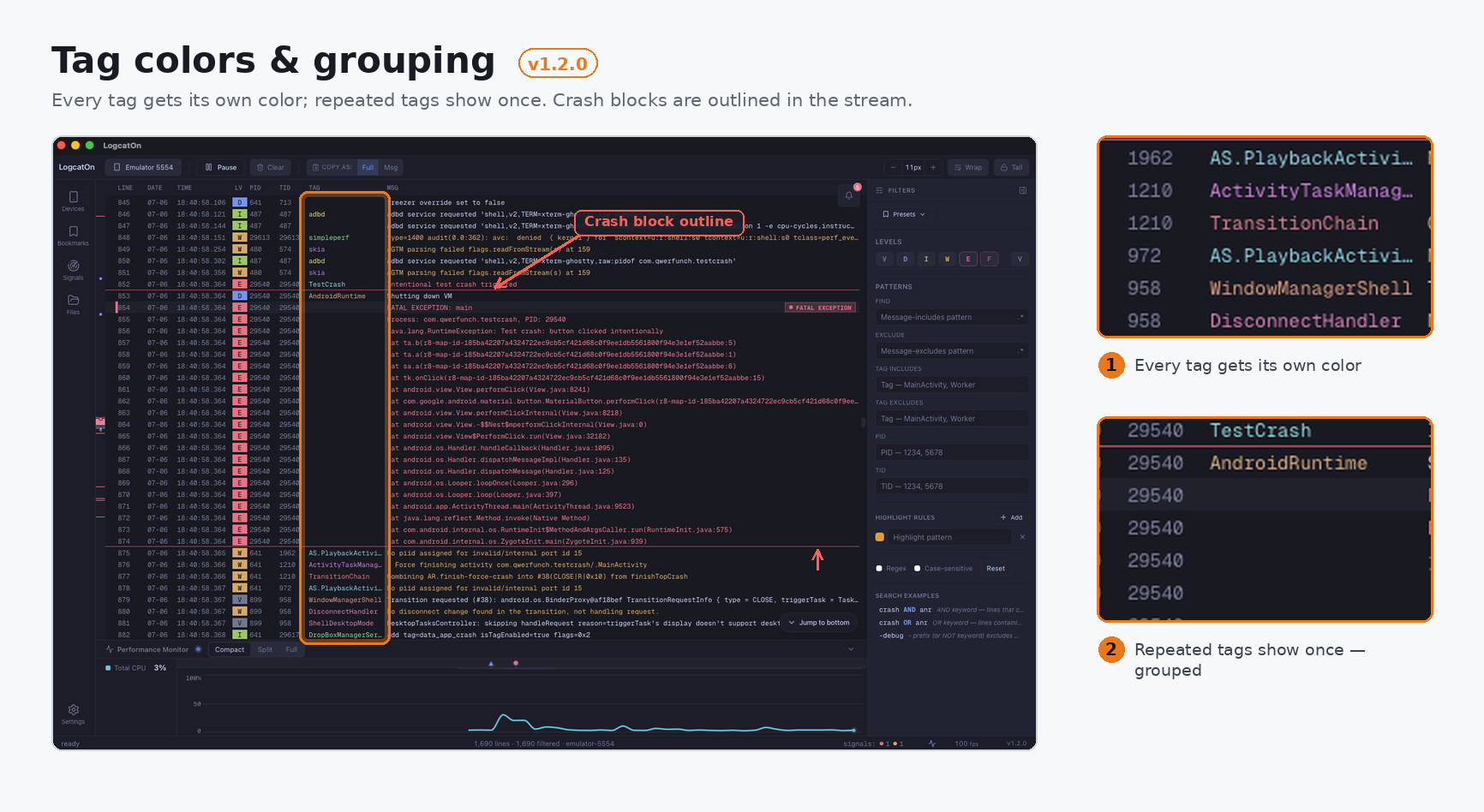
A different color per tag

Give the tags you watch their own colors and your eye finds them mid-scroll.

PayBugleDataModel BugleRestoreChoreographer OkHttpSatelliteControll

32 signals, built in from the start

Crashes, ANRs, native faults and memory are caught by rule. You can add your own rules too.

Crash4

  • FATAL EXCEPTION
  • SecurityException
  • SQLiteException
  • SSLHandshakeException
  • ANR3

  • ANR in {package}
  • Input dispatching timed out
  • Skipped frames (Choreographer)
  • Native crash6

  • Fatal signal
  • SIGABRT
  • SIGBUS
  • SIGILL
  • Lifecycle5

  • Activity START
  • Displayed (first frame)
  • Process … has died
  • Force stopping
  • Release Notes

    Latest

    LogcatOn v1.3.0

    July 22, 2026

    What’s new

    • Inspect any log line in detail. Double-click a line to open its full message, with readable formatting for JSON, stack traces, XML, URLs, and more.
    • Bring an AI coding assistant into your debugging session. Agent Port securely connects local MCP clients to your live logs, crashes, and metrics — then lets the assistant take you straight to the relevant log line.
    • Save and share complete investigations. Session Capsules package logs, bookmarks, filters, signals, device details, and an optional mapping file into one .logcaton file.
    • Understand crashes faster. Crash Triage highlights the likely cause, the relevant stack frame, and practical next steps in the Issues tray.
    • Find the moment that matters. Press ⌘K (Ctrl+K on Windows/Linux), choose Jump to time, then jump to a device timestamp or filter by time range. The performance timeline now also shows busy threads.

    Also improved

    • The app opens faster and remembers its window size and position.
    • Command Palette is easier to search and reuse.
    • More reliable session restore, ADB reconnects, and live-log resume behavior.

    Downloads

    Windows: installer or portable ZIP · macOS: universal DMG or portable archive · Linux: AppImage, DEB, or portable archive

    LogcatOn v1.2.0 July 6, 2026

    Added

    • Retrace — load your mapping.txt and read R8/ProGuard-obfuscated stack traces in place, in live streams and opened files. Retrace: an R8/ProGuard-obfuscated stack trace restored to original class and method names after loading mapping.txt
    • Copy crash report — right-click a crash and copy a share-ready report: device, Android/app version, and the stack trace. Copy crash report: right-click a crash line, choose Copy crash report, and paste a ready-to-share report with device, OS and full stack trace
    • Tag colors & grouping — every tag gets its own color; repeated tags show once. Toggle in Settings. Tag colors & grouping: every tag gets a distinct color and repeated tags collapse into one, with crash blocks outlined in the stream
    • Update prompt — new versions announce themselves on launch, with release notes. Close to skip that version.

    Fixed

    • Crash outline stays visible while its menu is open; ghost tag no longer overlaps the next one.
    • Crash-report copy honors the Full/Msg toggle; highlighted tags stay visible when grouping is on.
    LogcatOn v1.1.1 July 3, 2026

    LogcatOn 1.1.1 is a stability release — no new features, just fixes that keep things accurate during long, high-volume sessions, when the log buffer fills up and the oldest lines start dropping.

    What's fixed

    > On 1.1.0? You'll get 1.1.1 through in-app auto-update.

    • Scrolling stays where you put it. No more getting yanked back to a search match or jerked around as old lines drop — even mid-drag or with a filter on.
    • Copy gets the right text. A drag selection during streaming no longer clips the first line's timestamp/tag prefix or pastes nothing.
    • Find stays on the right line. Highlights and next/prev jumps stay correct as old lines drop, new matches at the bottom aren't skipped, and changing a filter cleanly re-runs the search.
    • Bookmarks land on the right line, even after old lines have dropped.
    • Also: opening a file starts fully clean; the Settings "Check for updates" result now scrolls into view; and word-wrapped high-volume streaming no longer stutters at buffer max.

    Requirements

    • Device. An Android device or emulator with USB debugging enabled — no Android SDK required.
    • Java. JRE 8+ only for .aab/.apks installs; .apk/.xapk and log viewing need none.

    Downloads

    • Windows — .msi installer or portable .zip
    • macOS — .dmg (universal arm64+x86_64, signed & notarized) or portable .tar.gz
    • Linux — .AppImage / .deb or portable .tar.gz
    LogcatOn v1.1.0 June 17, 2026

    LogcatOn 1.1.0 makes the performance monitor a lot smarter — it profiles whatever app is on screen, compares cold-start time across rebuilds, and keeps the chart going when you switch what you're measuring. Plus a batch of stability fixes.

    Highlights

    Also: many stability fixes across bookmarks, the Issues tray, canvas selection/scroll, and the foreground badge — plus smoother line-wrapping for Japanese and other CJK text.

    > On 1.0.0? You'll get 1.1.0 through in-app auto-update.

    • Profiles the app on screen — automatically. No need to pick a package first: LogcatOn profiles whatever app comes to the foreground on the device. The Devices panel marks the current foreground app with a live dot.
    • Cold starts, compared every build. Each launch stacks its startup time as a bar, with the delta from the previous run shown in color (slower = red, faster = green) — so you can see at a glance whether your last change slowed the app down.
    • Switch targets without a gap. Change what you're measuring and the chart keeps flowing — no session restart — with a tenure band showing who was measured, and when.
    • A cleaner monitor. Reworked memory visualization and a unified visual language across the strip, split, and focus layouts.

    Requirements

    • Device. An Android device or emulator with USB debugging enabled — no Android SDK required.
    • Java. JRE 8+ only for .aab/.apks installs; .apk/.xapk and log viewing need none.

    Downloads

    • Windows — .msi installer or portable .zip
    • macOS — .dmg (universal arm64+x86_64, signed & notarized) or portable .tar.gz
    • Linux — .AppImage / .deb or portable .tar.gz
    LogcatOn v1.0.0 June 7, 2026

    LogcatOn is a desktop Android logcat viewer and debugging tool for macOS, Windows, and Linux. It keeps up with high-volume log streams and ties your logs to what the app is actually doing.

    Highlights

    Also: filtering (level/text/regex/tag/PID/TID/smart-query), bookmarks, find, command palette, dark/light themes, and a UI in English, 한국어, 简体中文, and 日本語 (auto-detects your OS language).

    • Built for volume. 1M+ lines at 60 fps, even through 5,000-line/sec bursts.
    • Filter that follows your app. Pick a package once; PID/TID rebinds across restarts and crashes.
    • Logs meet metrics. CPU, memory, jank, and battery on a timeline aligned with your logs.
    • Signals surface themselves. 32 patterns flag crashes, ANRs, and native faults — the Issues tray jumps to each.
    • Drive the app from the viewer. Drag-drop install, then launch, force-stop, or uninstall.
    • Zero setup. Bundled adb/aapt2/bundletool; signed auto-updates.

    Requirements

    • Device. An Android device or emulator with USB debugging enabled — no Android SDK required.
    • Java. JRE 8+ only for .aab/.apks installs; .apk/.xapk and log viewing need none.

    Downloads

    • Windows — .msi installer or portable .zip
    • macOS — .dmg (universal arm64+x86_64, signed & notarized) or portable .tar.gz
    • Linux — .AppImage / .deb or portable .tar.gz
    Download

    It's free.
    Grab it and enjoy!