See it work
Real screen, no edits
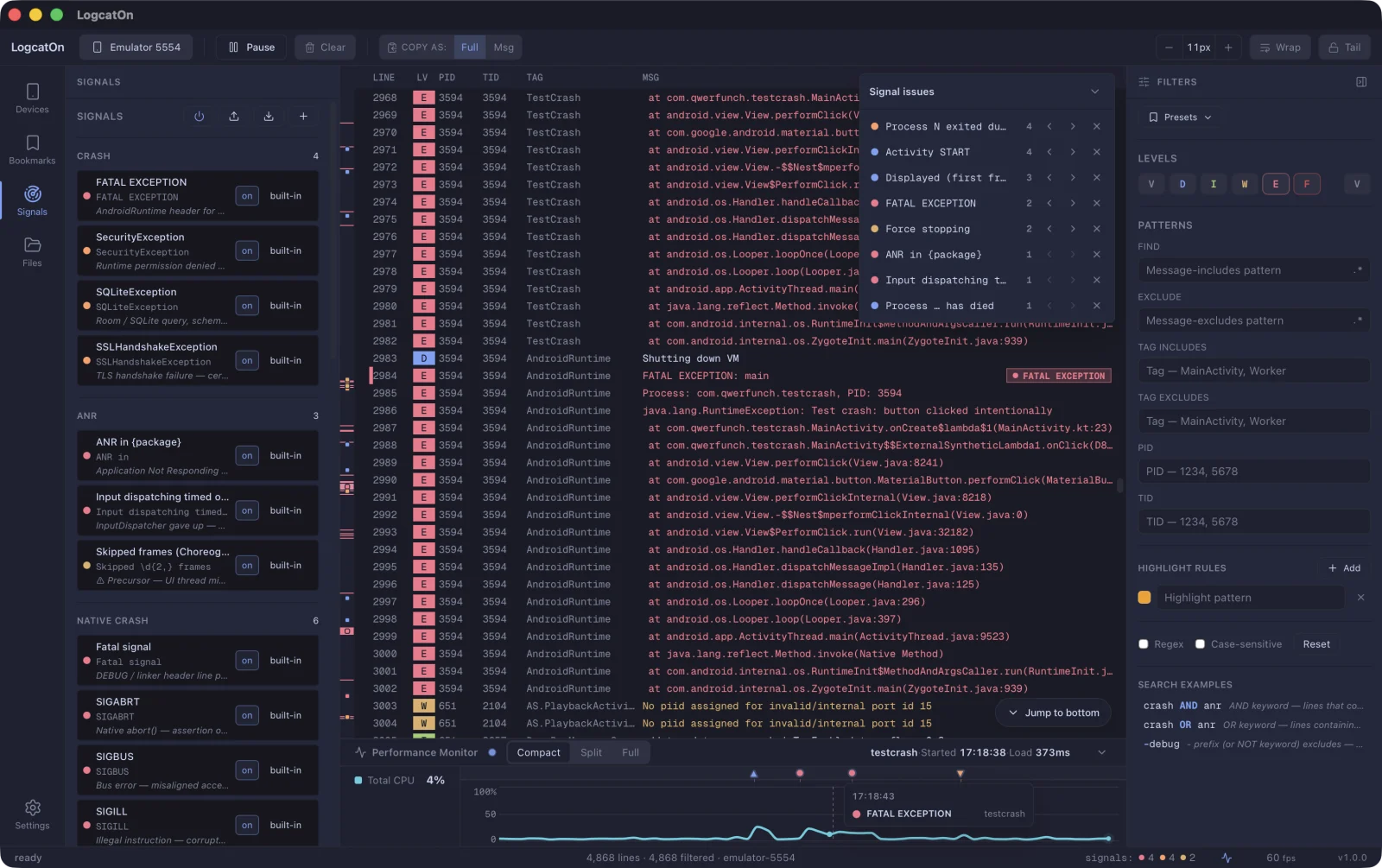
A crash lands mid-flood, marks the minimap, and we jump right to it. Recorded in one take.
Screen recording · 23s · silent · unedited
Crashes, ANRs and native faults land on the minimap and timeline the moment they happen. One click takes you there. Large logs keep flowing without a stutter.
A crash lands mid-flood, marks the minimap, and we jump right to it. Recorded in one take.
We didn't list features. We laid out the screen in the order you read logs.
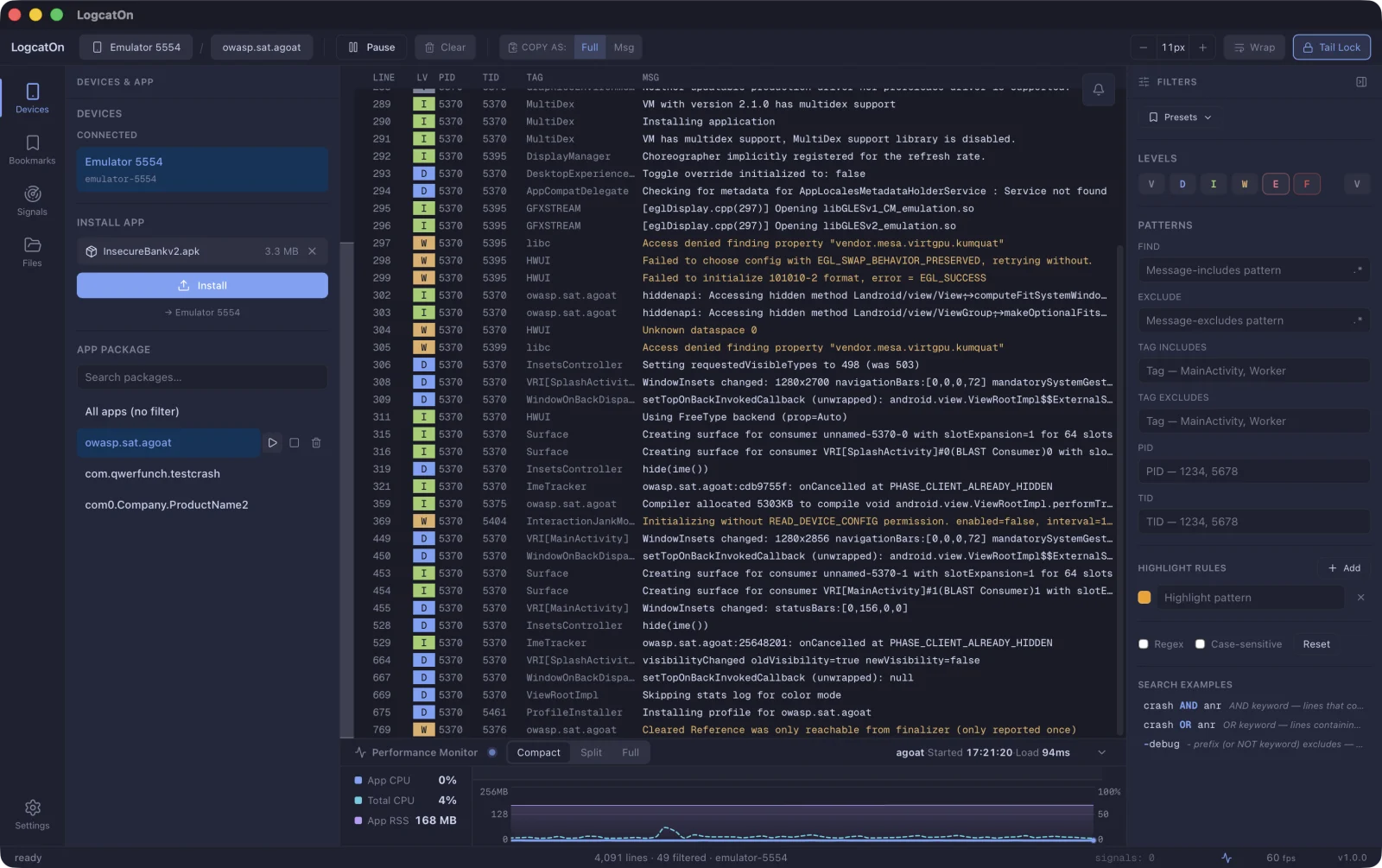
Connect a device and pick an app to see just its logs. Install, launch, and force-stop, all in one place.
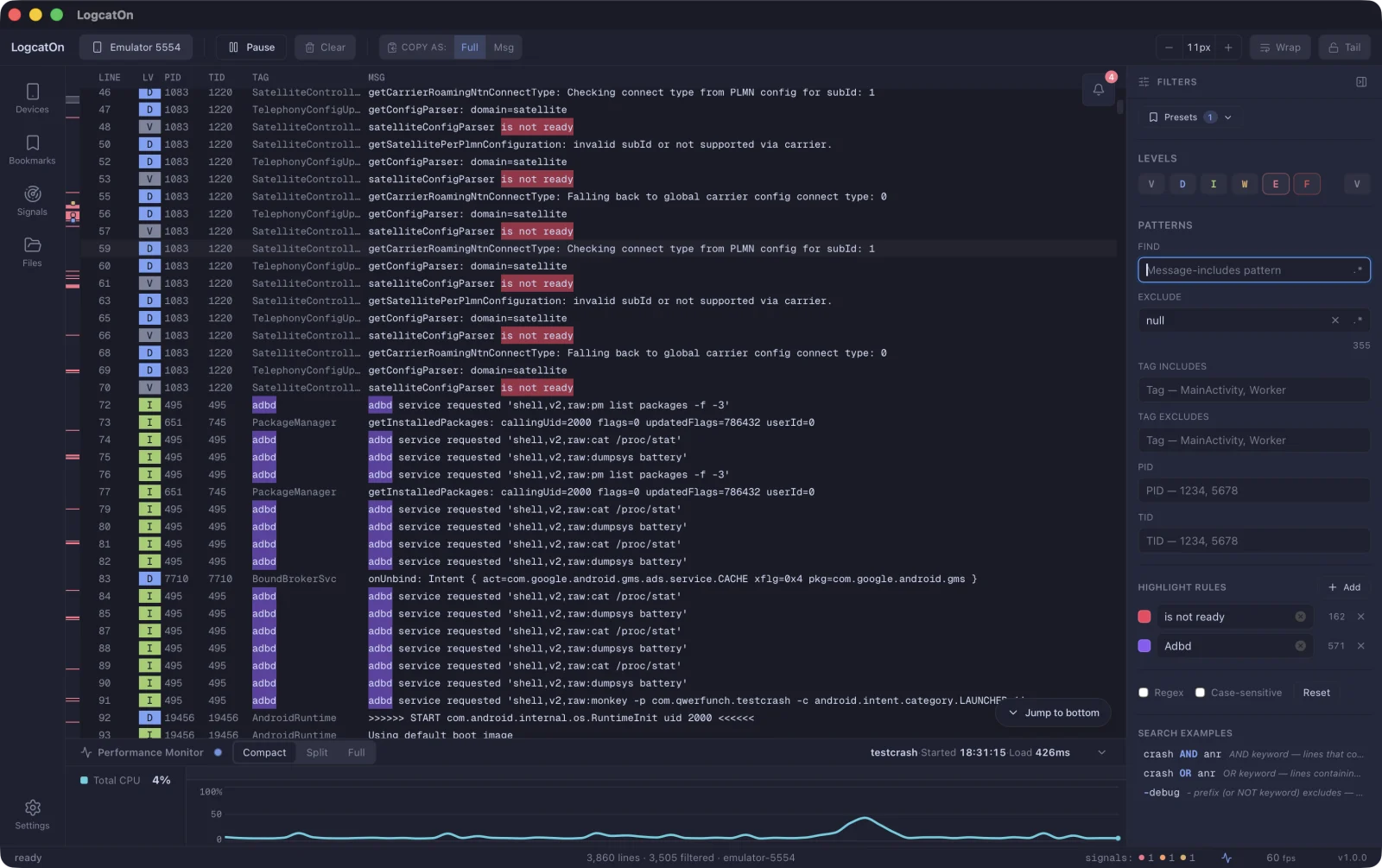
Find, exclude, tag, PID and level filters — plus regex and AND/OR search.
Shown on the minimap, signal issues, and timeline — click to jump straight there.
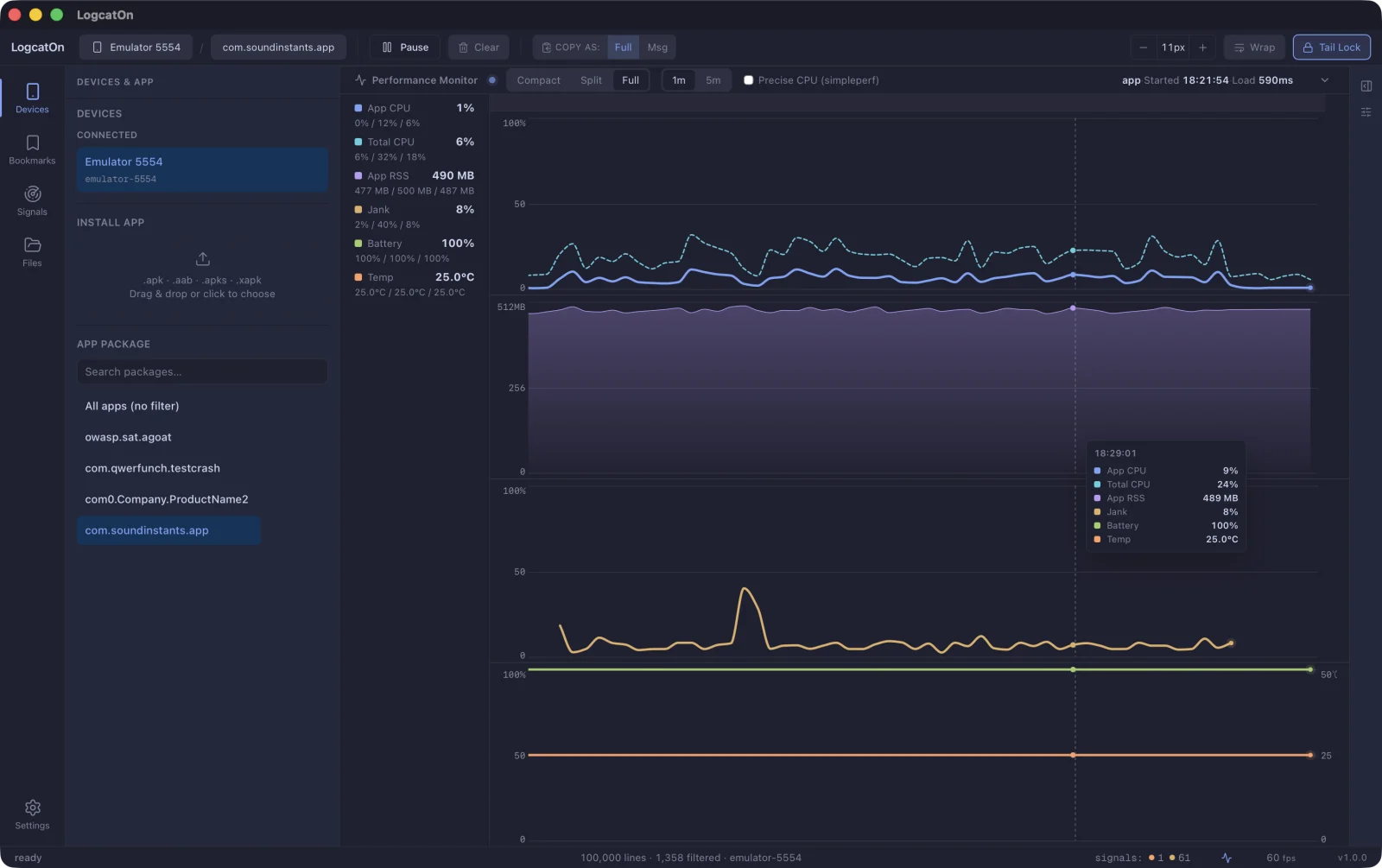
Monitor CPU, memory, jank, battery and temperature alongside your logs.
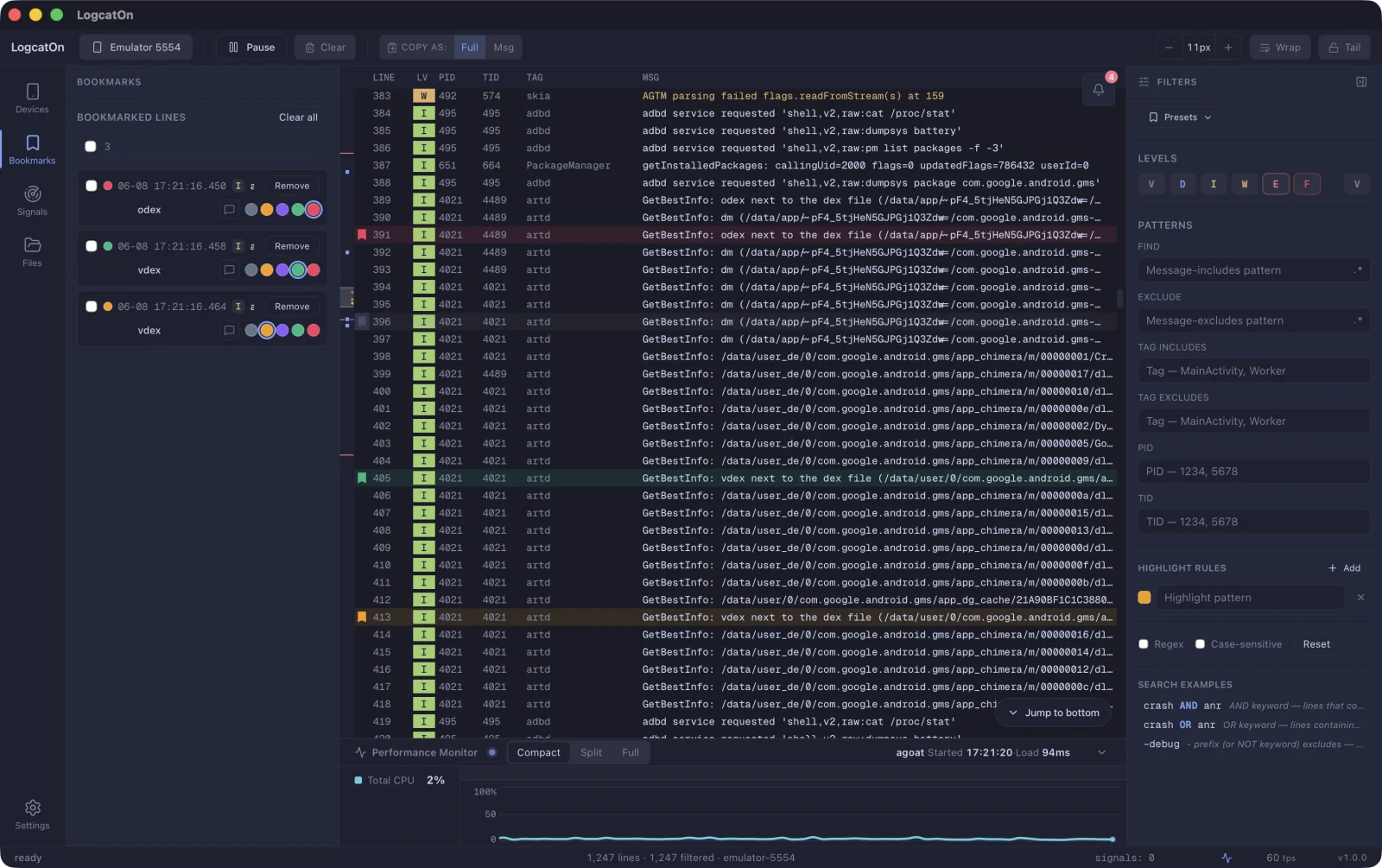
Bookmark key lines, tag them by color, and jump back in an instant.
JSON buried in a log line folds and unfolds. Switch between Pretty and Raw, then copy it as is.
Point Retrace at your mapping file and unreadable stack traces come back with their original names.
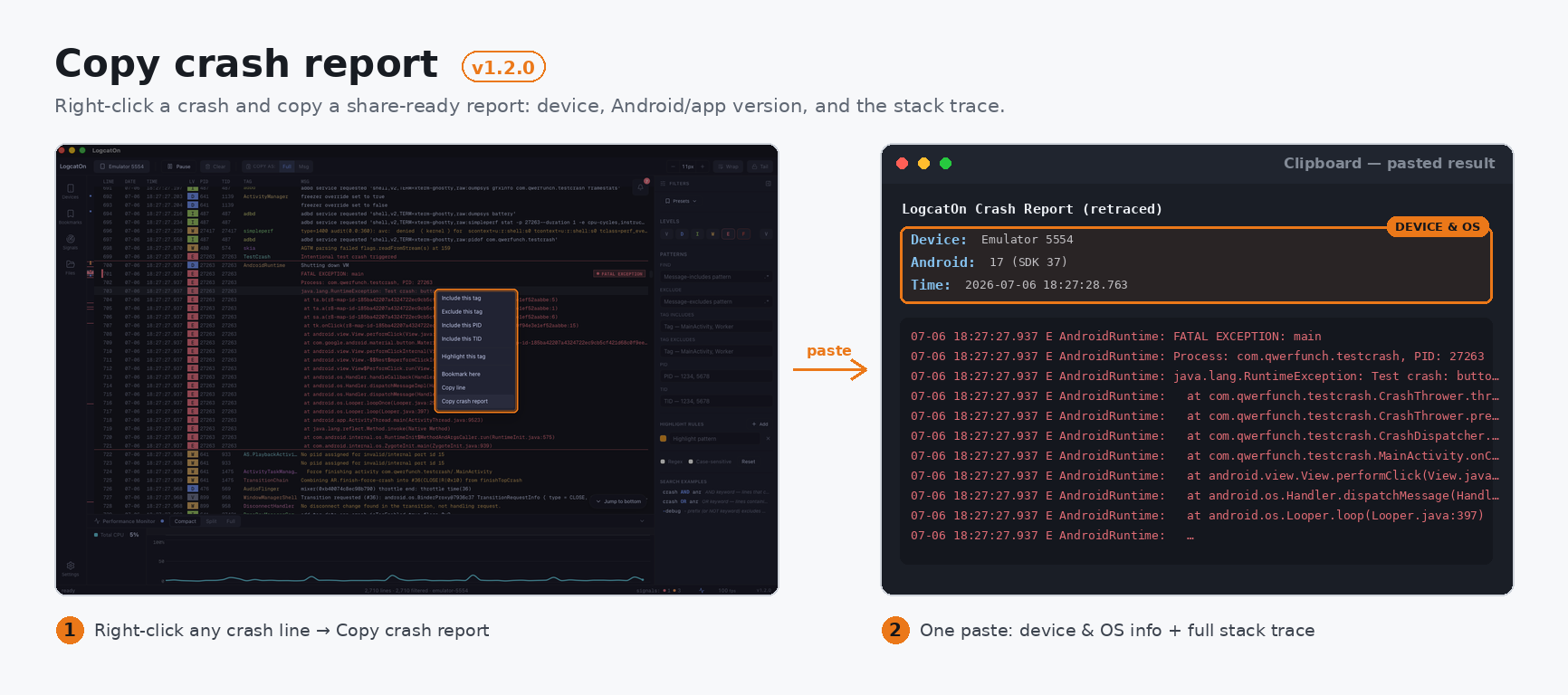
The crash region is detected for you. One right-click copies it with device and OS info attached.
Mark the lines that matter, group them by color, and come back anytime.
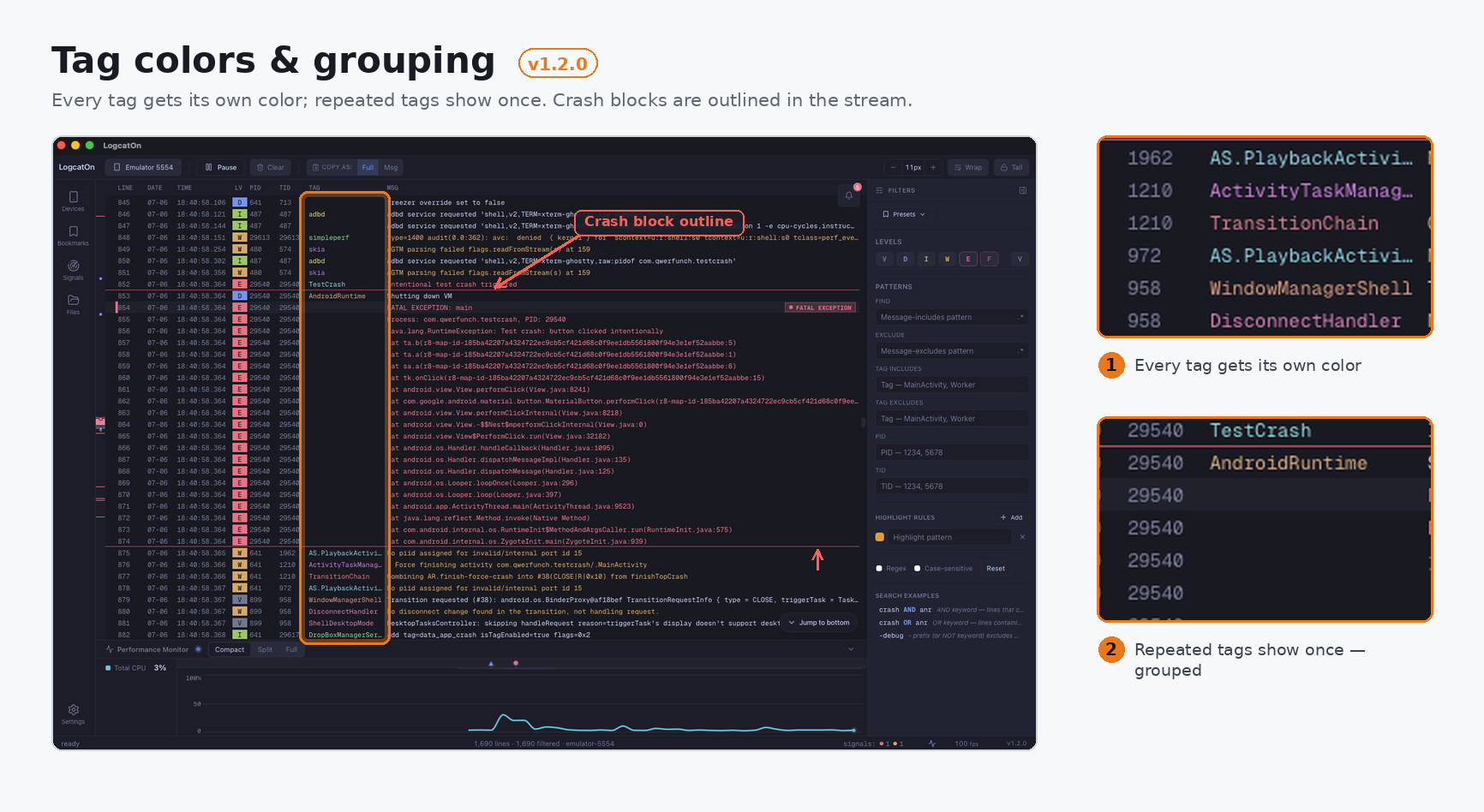
Give the tags you watch their own colors and your eye finds them mid-scroll.
Crashes, ANRs, native faults and memory are caught by rule. You can add your own rules too.
⌘K (Ctrl+K on Windows/Linux).input text cannot type at all.Windows: installer or portable ZIP · macOS: universal DMG or portable archive · Linux: AppImage, DEB, or portable archive
.logcaton file.⌘K (Ctrl+K on Windows/Linux), choose Jump to time, then jump to a device timestamp or filter by time range. The performance timeline now also shows busy threads.Windows: installer or portable ZIP · macOS: universal DMG or portable archive · Linux: AppImage, DEB, or portable archive
mapping.txt and read R8/ProGuard-obfuscated stack traces in place, in live streams and opened files. 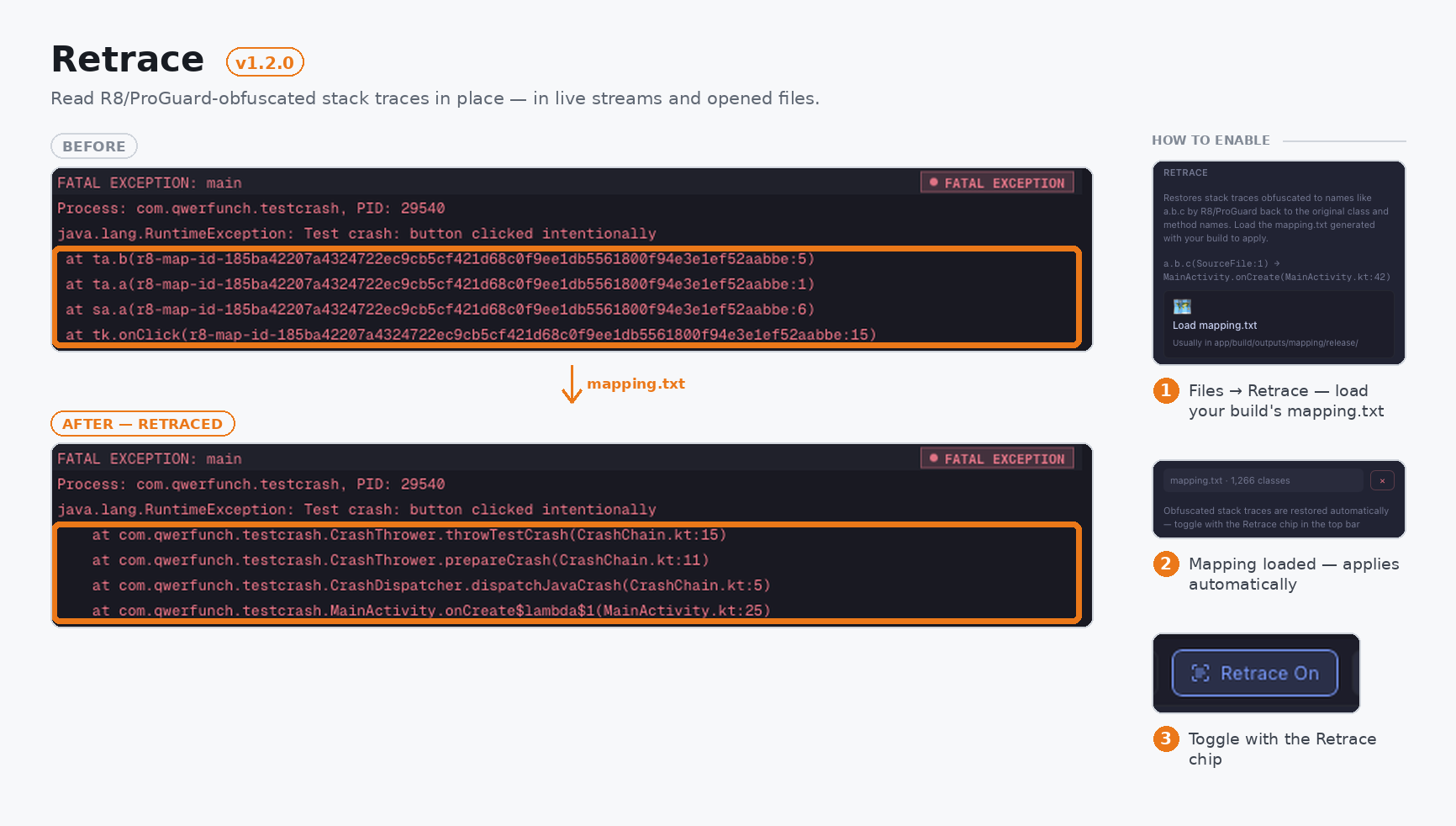
LogcatOn 1.1.1 is a stability release — no new features, just fixes that keep things accurate during long, high-volume sessions, when the log buffer fills up and the oldest lines start dropping.
> On 1.1.0? You'll get 1.1.1 through in-app auto-update.
.aab/.apks installs; .apk/.xapk and log viewing need none.LogcatOn 1.1.0 makes the performance monitor a lot smarter — it profiles whatever app is on screen, compares cold-start time across rebuilds, and keeps the chart going when you switch what you're measuring. Plus a batch of stability fixes.
Also: many stability fixes across bookmarks, the Issues tray, canvas selection/scroll, and the foreground badge — plus smoother line-wrapping for Japanese and other CJK text.
> On 1.0.0? You'll get 1.1.0 through in-app auto-update.
.aab/.apks installs; .apk/.xapk and log viewing need none.LogcatOn is a desktop Android logcat viewer and debugging tool for macOS, Windows, and Linux. It keeps up with high-volume log streams and ties your logs to what the app is actually doing.
Also: filtering (level/text/regex/tag/PID/TID/smart-query), bookmarks, find, command palette, dark/light themes, and a UI in English, 한국어, 简体中文, and 日本語 (auto-detects your OS language).
.aab/.apks installs; .apk/.xapk and log viewing need none.